SUBSCRIBE


DESIGNKIT FREE BACKGROUND REMOVER REVIEW: CAN IT CREATE CLEANER PRODUCT IMAGES FOR INTERIOR AND LIFESTYLE BRANDS?
Sometimes the Best Design Choice Is What You Remove
Those eye-catching lamps can be underwhelming if put on a distracting background. The same applies to furniture, home décor, and lifestyle products.
But will taking away the background make a product look cleaner without being unnatural?
That’s what we’re going to find out with Designkit free background remover. Instead of simply listing features, we’re going to see how well it works on real product photos, and whether the results are good enough to use.
The Background Is Part of the Product Story—Until It Isn’t
A good background can make a product feel more inviting. But sometimes, it does the opposite.
When the Setting Adds Atmosphere
Have you ever experienced a lamp in a cozy living room versus in front of an empty wall?
See, a warm rug, dim lighting, or wooden furniture might make a product seem more at home. And can you imagine it at home?
So, lifestyle photos still count. The fact remains: simply removing the background might not be the best thing to do. There are times when the setting is what makes the product appealing.
When the Setting Starts Competing with the Product
But what if you have cluttered bookshelves, useless wires, or objects that shouldn’t be visible in the image? Instead of targeting the product, viewers are directed to the surroundings.
This can occur if the product photos are different or even from different suppliers. Some are on different camera phones and have better or worse lighting.
The catalog starts to feel inconsistent.
The suitable course of action is largely determined by how the photo will be utilized:
- Lifestyle and editorial photos: Retain background settings for the sake of the overall mood and to show how the item is being used.
- Product and catalog photos: Crop out or eliminate any background elements that may distract from the subject or item. This would also create a uniform feeling among all images.
- Social media and sales promotion graphics: Apply clean cutouts for placing products against color backgrounds, banners, or custom-designed graphics.
The Three-Image Design Test
Instead of immediately reviewing Designkit feature by feature, establish the visual test criteria first.
| Test | What we’re looking for |
| Décor object | Irregular contours and decorative details |
| Table/floor lamp | Curves, thin structures, cables and shadows |
| Perfume bottle | Glass, reflections and fine edges |
Test One: Can It Handle Beautifully Complicated?
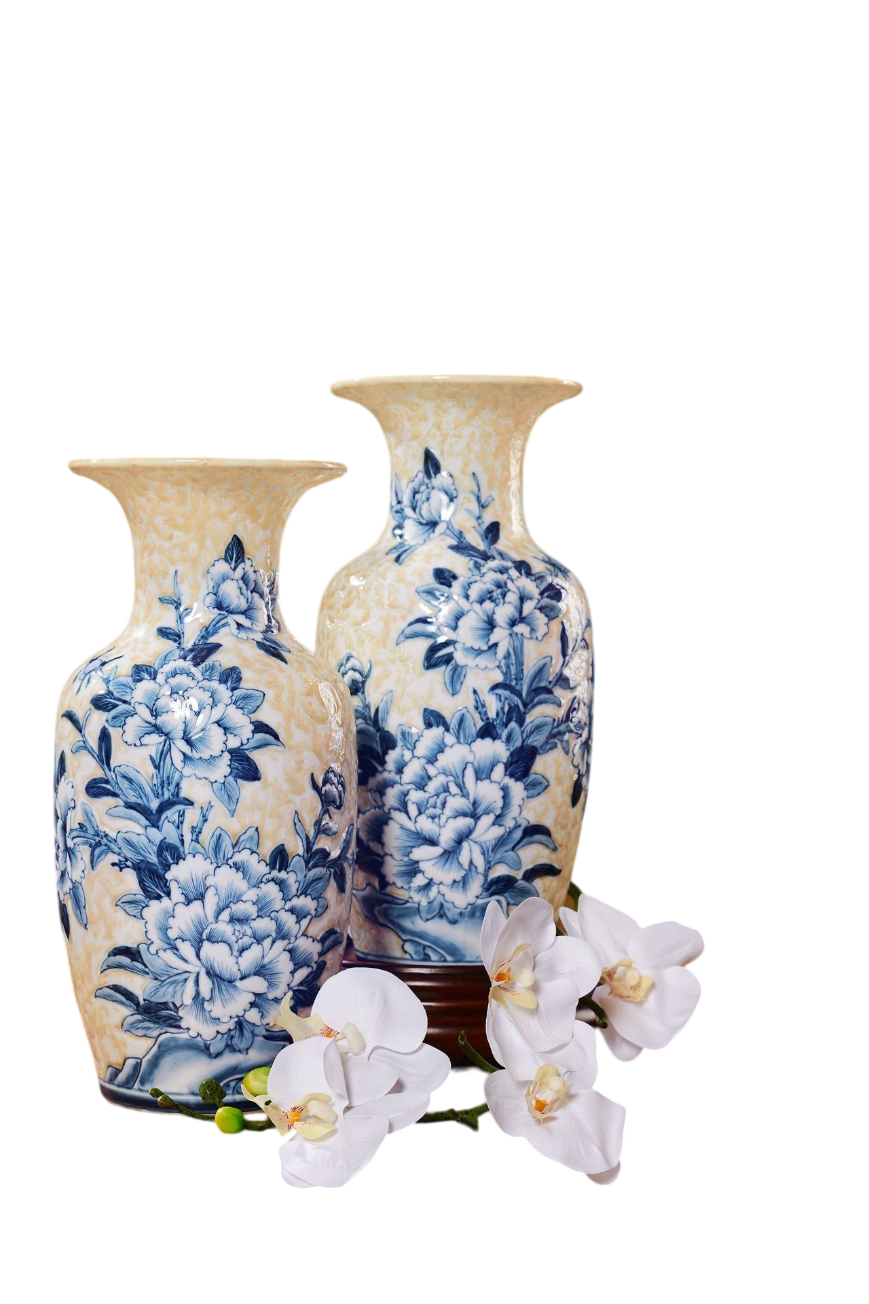
Décor is nice on a shelf but can be difficult to cut out cleanly. What about a decorative vase, a sculptural candle holder or an interesting, shaped bowl?
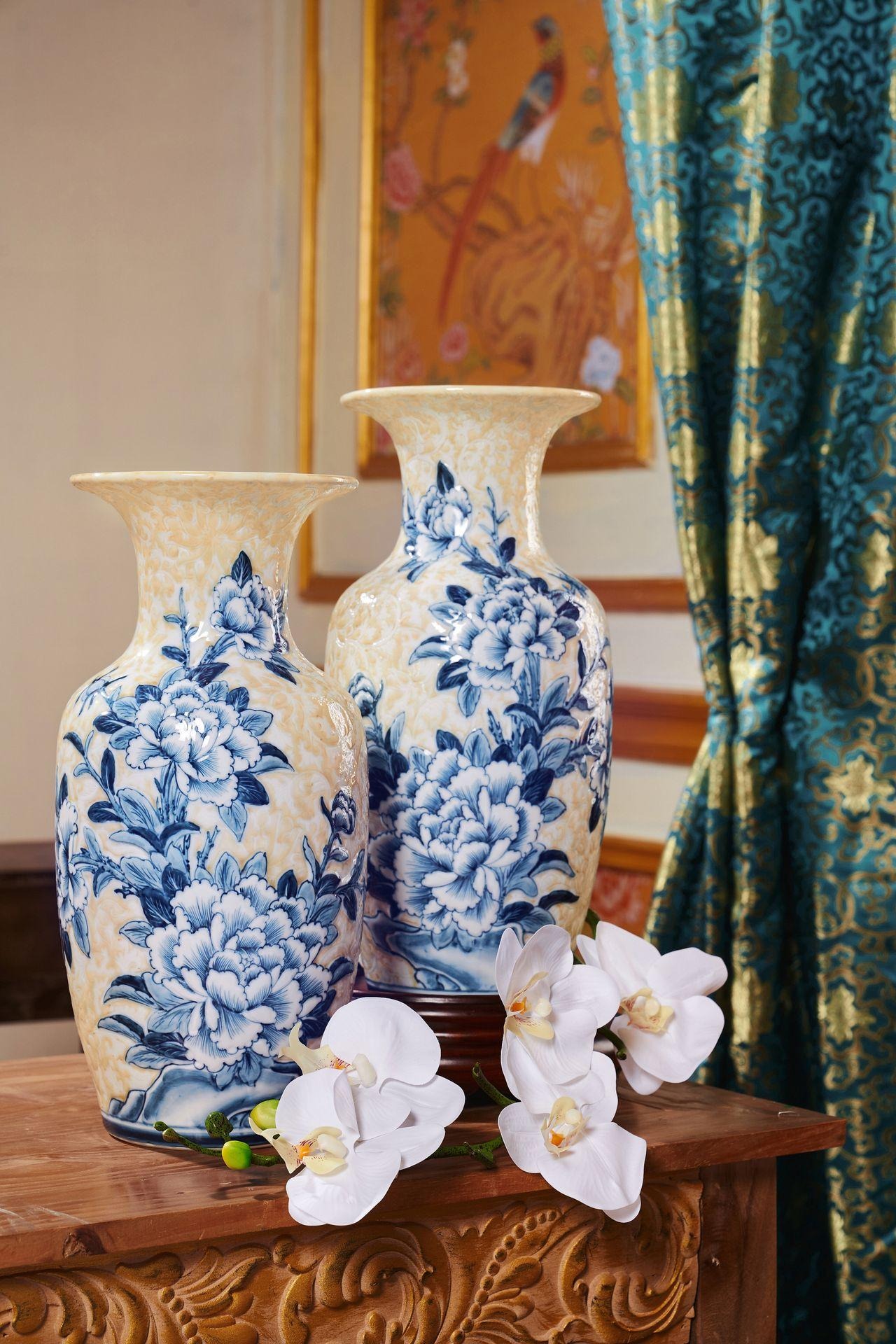
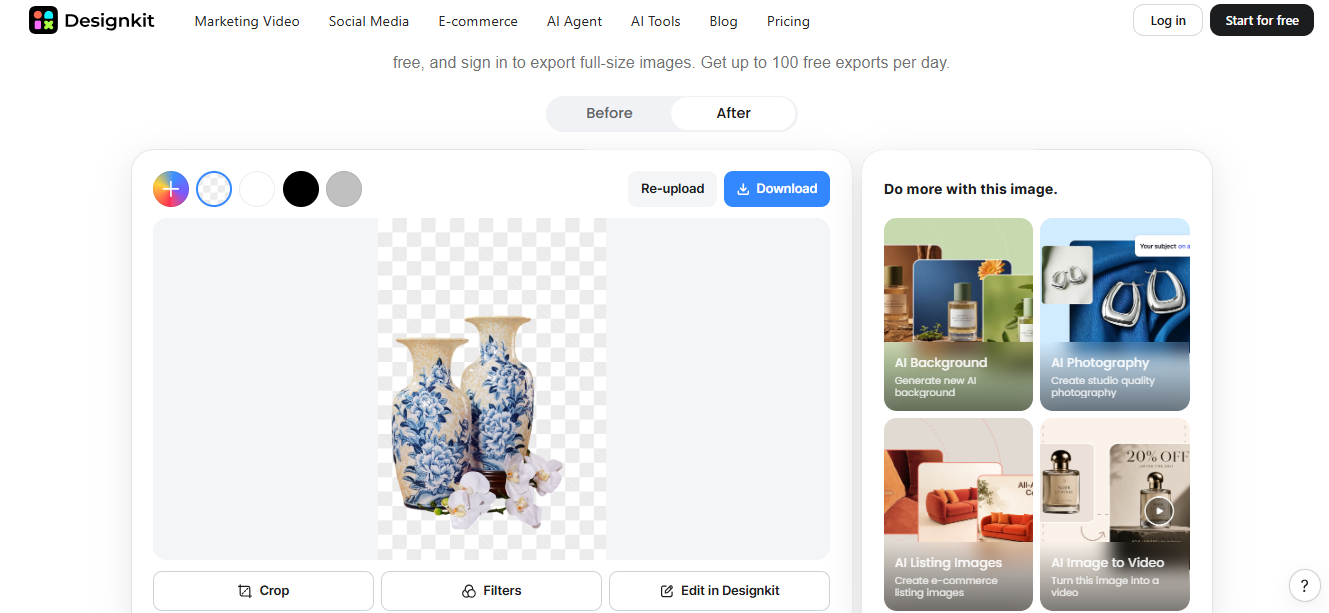
For this test, we’ll use Designkit’s background remover to see how well it handles the details. Does it keep the object’s natural shape? Can it manage curved edges, narrow gaps, and small protrusions without cutting them off? And what happens to textured surfaces?
Test Two: When Shadows Become Part of the Design
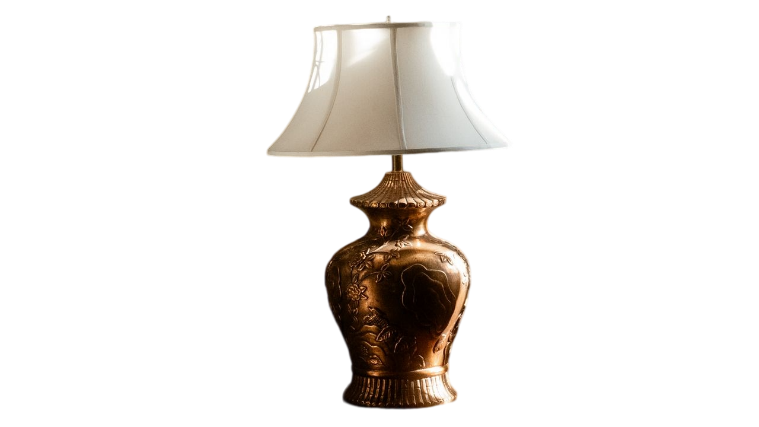
Lamps are more difficult to cut out than they seem. Thin stands, curved sections, and cables that tend to disappear in background removal can cause trouble.
Let’s perform this test with a table lamp or a sculpture light fixture. Make sure to inspect the edges of the shade, the thin parts, the wires, and the nice transition between the light and dark areas. The cutout should be clean but not too realistic.
What Happens When the Background Changes?
The same lamp can look quite different depending on what sits behind it.
- Transparent: Useful for placing the lamp into other designs.
- White: A clean choice for product listings and catalogs.
- Neutral color: Works well for a softer, more natural look.
- Brand color: Helps promotional images match a brand’s style.

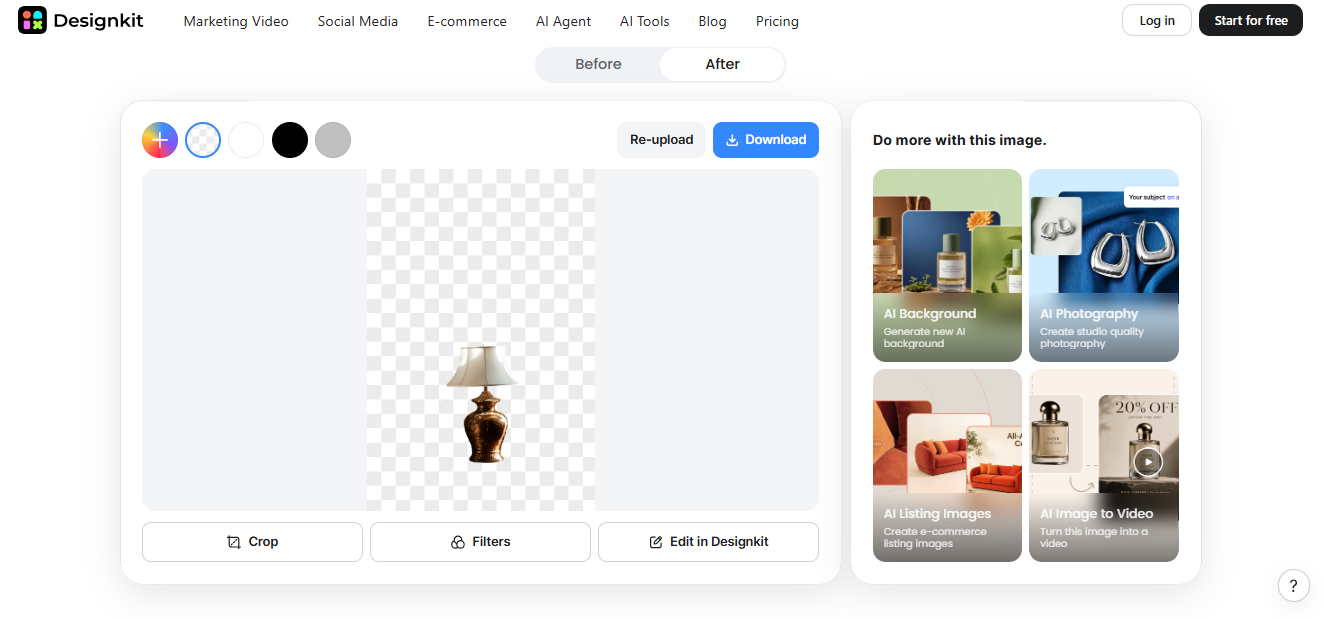
That’s where Designkit comes in. We will use its free background remover to separate the lamp and see how well the cut out works against the various backgrounds. Our main concern is – does the lamp stay crisp and realistic or does it end up as a cut out glued onto a page?
The Hardest Test: Glass, Reflection and Fine Detail
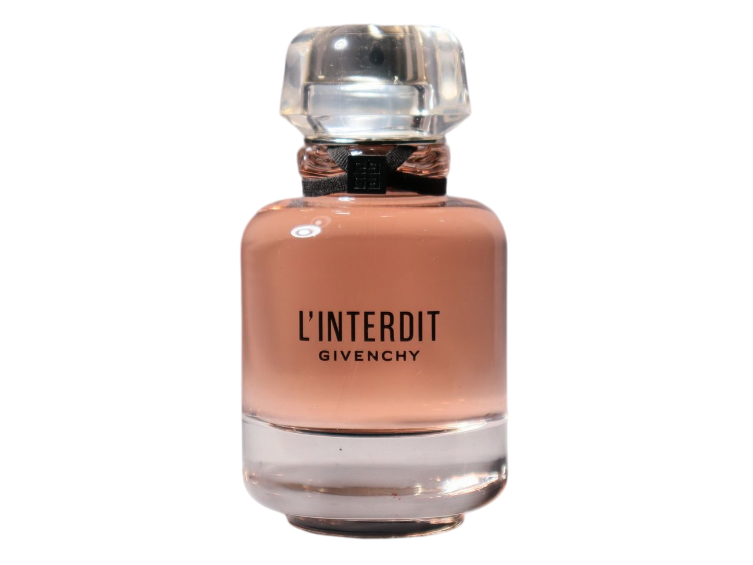
The tricky part about background removal is the glass. The perfume bottle may be transparent against the background, but the reflections and glint on it look great. Remove too much, and the bottle can lose its shape or look oddly flat.
For this example, we’ll examine the bottle for the transparencies, rounded shoulder areas, cap periphery, reflections, and fine detail. We will further view a close-up of the edge of the bottle at 200-300% zoom in to discover any rough cut edges and detail.
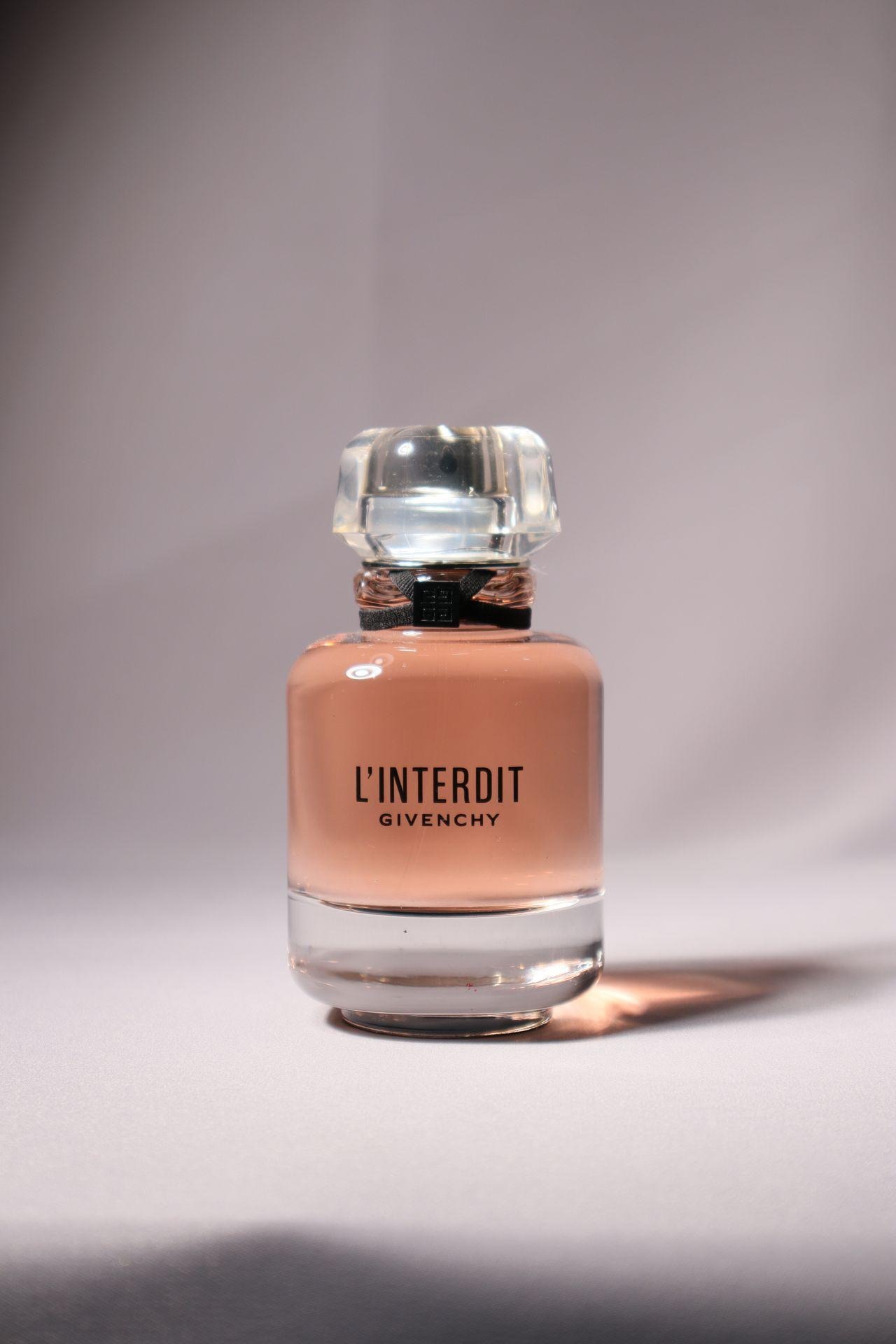
We’ll see how well Designkit preserves these details and whether any areas need manual touch-ups. Automated removal won’t be perfect for every transparent or reflective object, so a closer inspection is important.
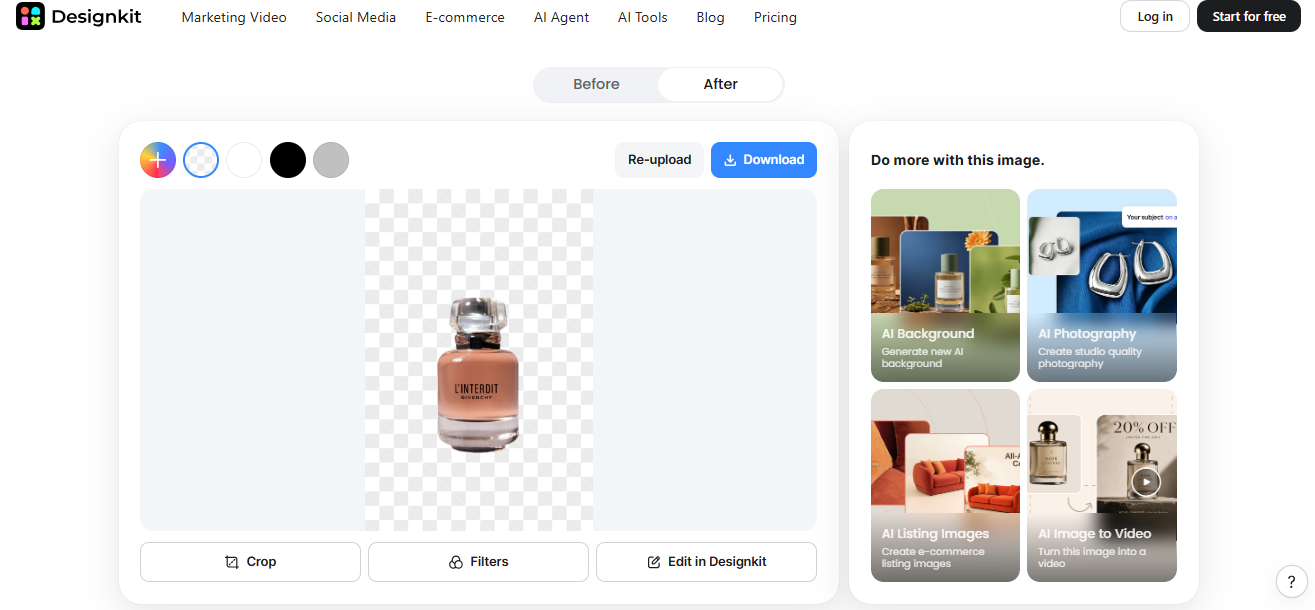
What Makes Designkit Useful Beyond the Cutout?
Getting rid of the background is not the only thing you need to fix the image. There is a big chance that you will also have to alter the colors, resize the picture or even get the image ready for selling online. With Designkit you can accomplish all these editing steps in a single platform.
The following are some of the key features that will help most interior and lifestyle fashion brands:
- Batch editing: You can edit up to 15 images at once. Use this if you get a new line of lamps, vases, cushions or other décors.
- Background replacement: You can set the background transparent, white or custom color that suits your branding.
- Resize image: Choose from dimensions used by each platform such as Amazon, Shopify, Etsy and Instagram, or input your own size.
- Completely free image previews and downloads: Try out your cutouts without registering, just by signing in for free to get large image downloads (with up to 100 free exports per day).
Where Designkit Starts to Show Its Limits
In most cases, Designkit can successfully isolate your subject from the background, but this feature might not always give you accurate results.
For the best accuracy, Designkit works great with solid subjects. But if your image contains details like a delicate flower, a narrow window, or ornate jewelry, you may find some issues.
Conclusion: Sometimes Less Really Is More
A good product image doesn’t always have to be a beautiful room or shelf with everything arranged just right behind it. Less clutter behind the product can focus the eye on the product.
Designkit makes this a no-brainer for catalog pages, social media, and simple quick promo graphics for small lifestyle brands that aren’t a design agency.
Still, not every photo needs a cutout. Lifestyle images can tell a story that a plain background can’t. The trick is knowing when to keep the setting and when to remove it.
More to Love!
A Practical Guide to Sharper Photos for Everyday Content
How to Create Matching Product Images with AI